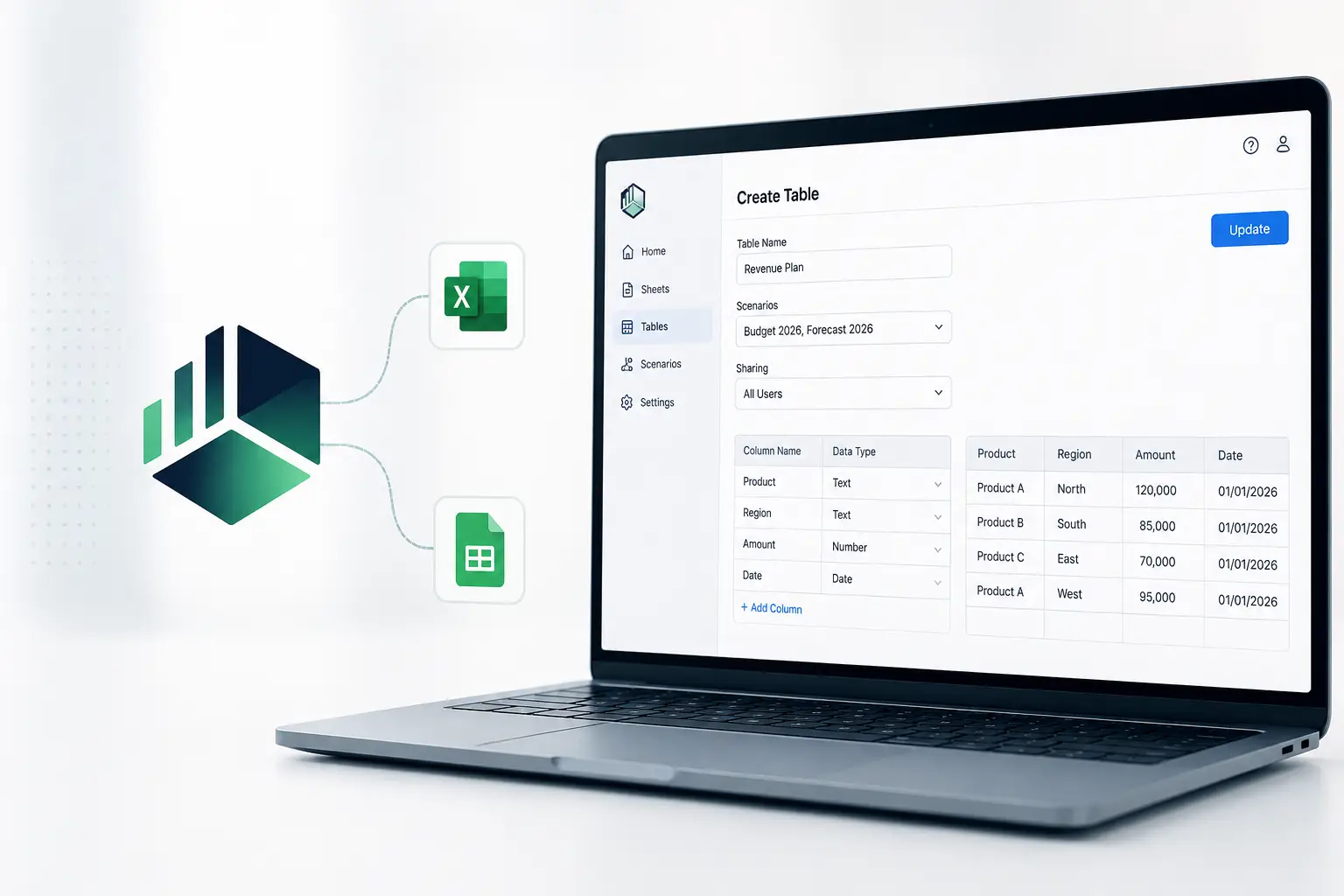
Cube is expanding the capabilities of its Workspace with a feature that now allows users to create tables directly from their work environment. This development is intended in particular to simplify data management for finance teams, while facilitating interaction with the office tools they use every day.
Create a table without leaving Cube
With this new feature, users with the Create Tables permission can create a table directly from the Workspace’s Tables section. They can assign it a name, associate it with one or more scenarios, and define sharing rules.
The table is then built directly in Cube. Users can create the various columns, choose their data type, and enter information row by row in an integrated grid.
Cube specifies that table names can contain up to 150 characters. When a table is associated with multiple scenarios, the initial data is copied to each of them upon the first save. Users can then evolve each scenario independently.
A direct connection with Excel and Google Sheets
One of the main benefits of this Cube table creation feature is its integration with the familiar environments used by finance teams.
Once created in the Workspace, the table automatically becomes available in the Excel and Google Sheets applications via the Open Existing Table option. Users can therefore continue working on their table from their usual office environment.
Synchronization also works in the other direction. Changes made in Excel or Google Sheets are reflected in Cube Workspace when the table is viewed again. This approach therefore maintains continuity between the Workspace and spreadsheets.
Calculations automatically follow the data
The feature also supports calculated columns. When new data is entered or imported, the associated calculations are updated automatically.
This automation can reduce certain manual tasks and help maintain the consistency of the information used across the different applications.
An approach designed for finance teams
Beyond simple table creation, this development illustrates Cube’s goal of bringing its Workspace closer to the daily practices of finance teams. Excel and Google Sheets remain widely used to analyze, supplement, or manipulate data, while financial management platforms are playing an increasingly important role in centralizing it.
By allowing users to create a table in Cube and then find it directly in spreadsheet applications, the vendor offers a smoother experience across these different environments.
This new feature therefore follows a straightforward principle: enabling users to work with their data in Cube or in their spreadsheet tool, while keeping the information synchronized between the two.
source: Cube